Pinning Windows “Communications” Audio
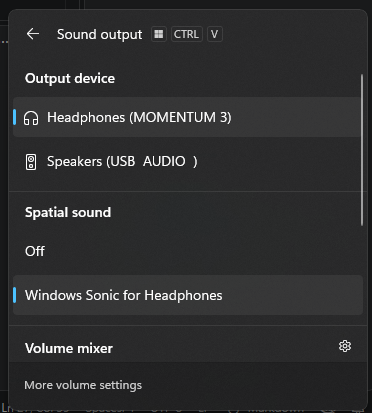
A perpetual frustration I have with Windows is that there are two default audio devices at any time:
- The default audio device
- What Windows plays most audio on
- The default audio communications device
- What voip applications play others’ voices on
When I put on my headset and change the setting in Windows, I open the quick audio settings, change the sound output to the appropriate device, and am unable to hear my friends when they talk to me. Discord is still using the default communications output device.
I don’t really understand why Windows has this separate setting, or at least why they don’t offer a way to pin the default communications device to the system default (and this should be opt out for a less confusing out-of-box experience.)
With some LLM help navigating the Windows APIs, I am happy to share a solution at MatthewMerrill/audiolock.
After building the exe in a devcontainer you should be able to drop it into
%AppData%\Microsoft\Windows\Start Menu\Programs\Startup
and it’ll launch to your tray on boot. From then on whenever you change the
Default Audio Output Device the program will silently switch the Default
Communications Audio Output Device to match. Convenient!
Footnote: I’ve somewhat conflated the default device with devices for Output and ignored that there also exists default input and default communications input, which… I don’t know, who’s using audio input for reasons other than communications? Maybe for burning CDs the old fashioned way? 🤷🏻♂️