Table of Contents
Automating Phasmophobia Part 2: The Game #
This post is a continuation from the previous Phasmophobia-related post automating the menus. I recommend reading that page first!
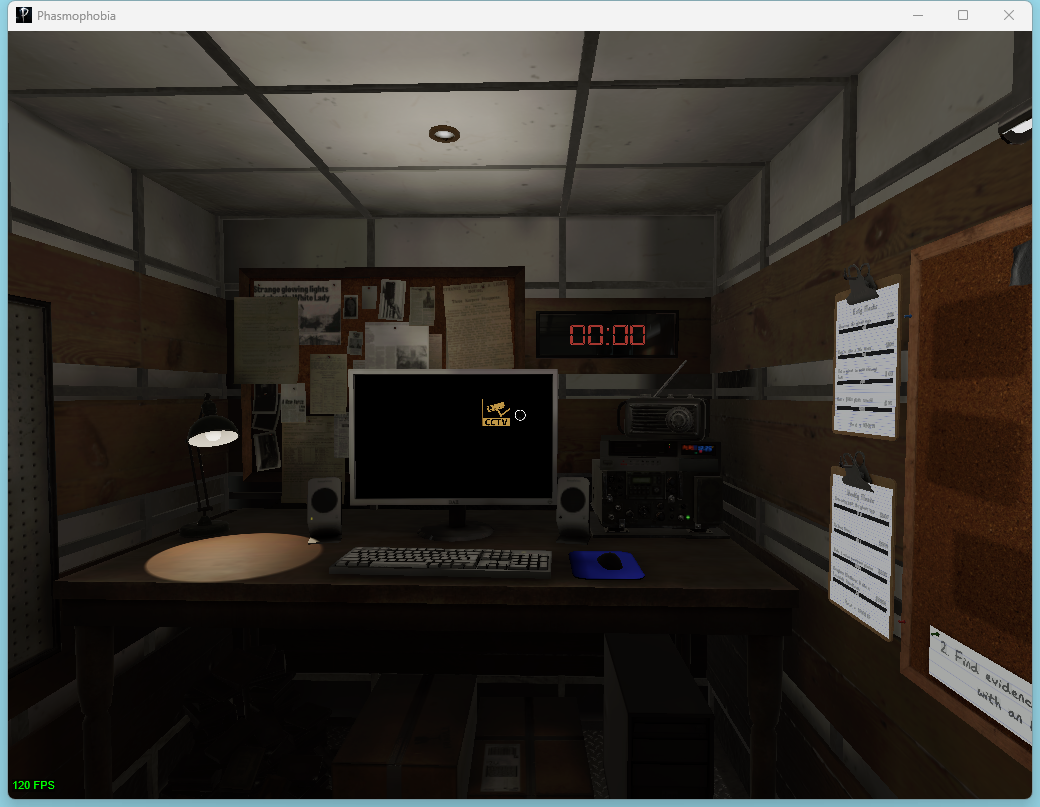
In this post I’ll describe how I automated the in-game portion of phasmophobia. We start out in a truck, facing a computer. In order to “complete” the game, we need to press a button behind us twice. The first time opens the van doors, and after a short delay the second press will close the doors – leaving the job site.
The starting orientation actually depends on which map you select. I’ve selected Brownstone High School, as I think it has one of the easiest starting positions.
show_image(fast_screenshot_window())
The Corner #
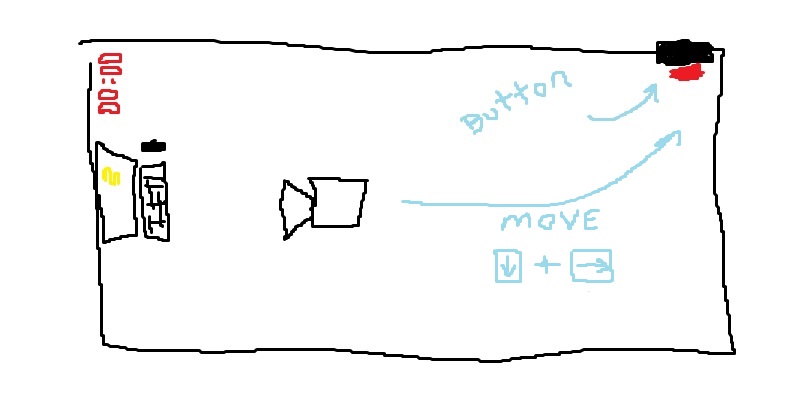
The key to automating this is finding some known attributes of our situation. We always spawn into the game facing the computer, and the button is located near a corner behind us and to the right.
If we hold controls for back + right, we will end up in the corner with the button.
w.activate()
ahk.key_down('s')
ahk.key_down('d')
time.sleep(10)
ahk.key_up('s')
ahk.key_up('d')

show_image(fast_screenshot_window())
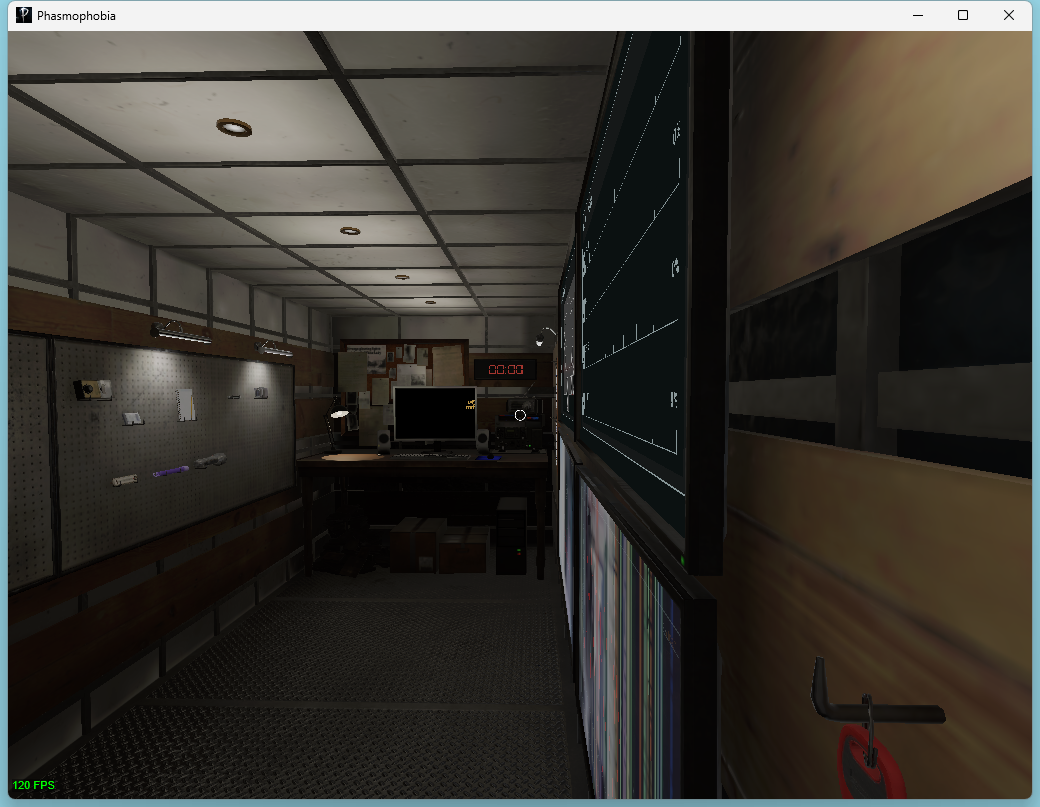
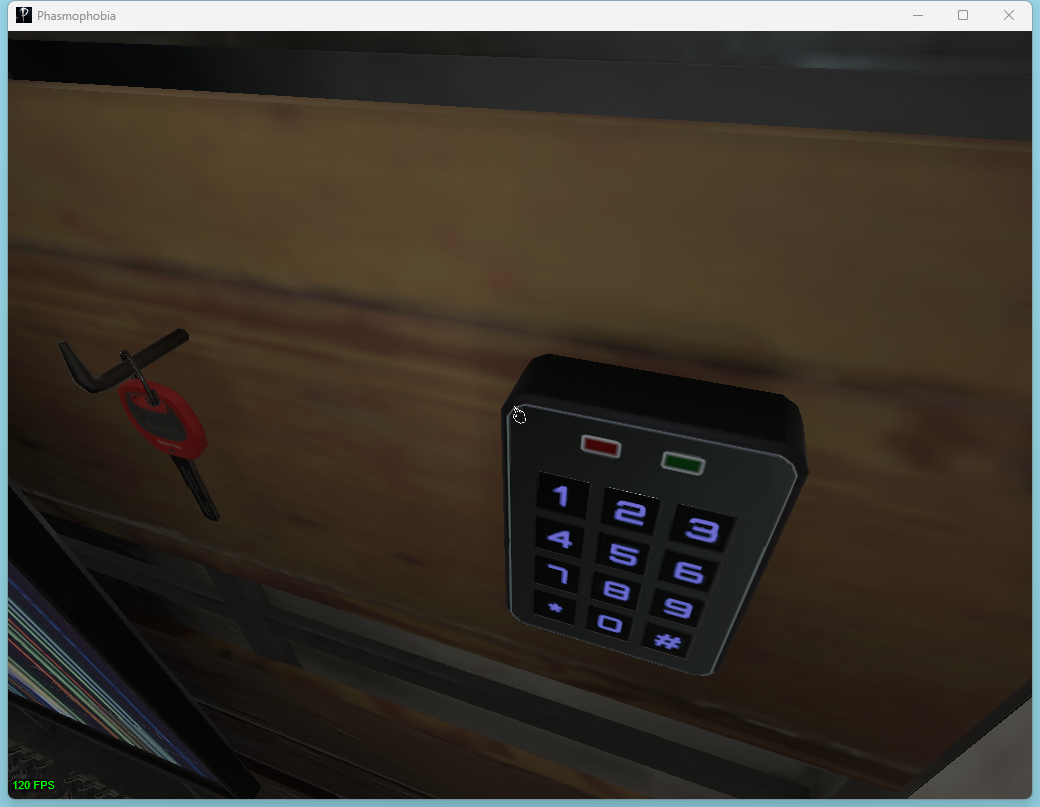
Now we’ll need to use the mouse to turn right and down to look at the keypad. It looks like this.
show_image(fast_screenshot_window())
The Mouse #
We can control the mouse using AutoHotKey, but will need to precisely work the mouse input.
We could just guess the amount we need to move the mouse by, and if it’s off then adjust incrementally whenever we see our automation has broken. This could be finnicky. Instead, I’m going to use screenshots to determine how long I need to look right, then how far I need to look down.
To move the mouse, here’s the best method I found. AHK has methods for moving the cursor relative to screen position, but it will fight Phasmophobia trying to keep the cursor locked in the middle of its window. Sending a mouse_event DllCall without actually trying to move the cursor will keep Phasmo happy while letting us precisely control the movement.
In this code we are punching through several abstraction layers. Python AHK library is passing AHK script to the running AHK process, which is calling Windows APIs through Dll magic I don’t understand enough to try to explain. There is likely a better way to do this directly in python, but we’re already using AHK and my name is in the address bar so we’re doing it my way.
w.activate()
for _ in range(10):
    time.sleep(.1)
    ahk.run_script('DllCall("mouse_event", uint, 1, int, 20, int, 0, uint, 0, int, 0)')